
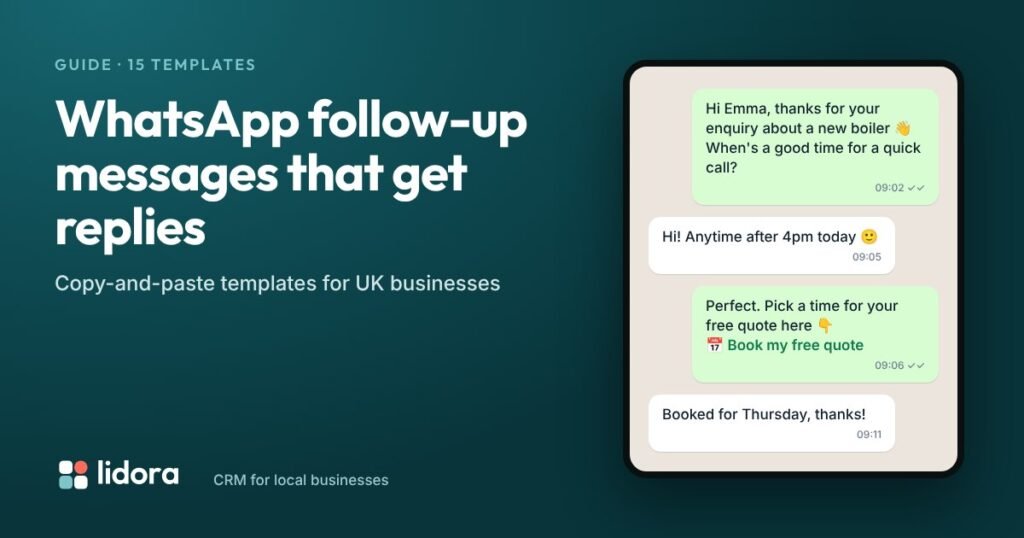
Short answer: a good WhatsApp follow-up message is short, personal and gives one clear next step, such as a time to call or a booking link. Send the first one within minutes of the enquiry, then one or two more over about a week, and stop as soon as the customer replies. Below are 15 templates you can copy for enquiries, quotes, missed calls and bookings.
Many customers answer a WhatsApp message much sooner than an email, which makes it a natural way to follow up. The trick is to sound like a person, not a sales script. Use the customer’s first name, mention what they asked about, and make it easy to reply.
The rules of a good follow-up
- Keep it under three lines. People read WhatsApp on the move.
- Use their name and their job. “Your kitchen quote” beats “your enquiry”.
- One next step only. A time to call, a booking link, or a yes/no question.
- Send during the day. Between about 9am and 8pm, and not on Sunday mornings.
- Stop when they reply, or after three messages with no answer.
After a new enquiry
- “Hi {name}, thanks for your enquiry about {service} 👋 I’m {your name} from {business}. When’s a good time for a quick call today?”
- “Hi {name}, thanks for getting in touch! You can pick a time for your free quote here: {booking link}”
- “Hi {name}, could you send a couple of photos of the job? It helps us give you a rough price before we visit.”
When they have not replied
- “Hi {name}, just checking you saw my message about {service}. Happy to call whenever suits you.”
- “Hi {name}, we have a couple of free slots this week if you’d still like a quote. Shall I book one in?”
- “Hi {name}, this is my last message so I don’t keep bothering you. If you need us later, just reply here. {your name}”
After you send a quote
- “Hi {name}, I’ve sent your quote over by email. Any questions, just reply here.”
- “Hi {name}, did you get a chance to look at the quote? Happy to talk through any of it.”
- “Hi {name}, we have start dates from {date} if you’d like to go ahead. Would that work for you?”
After a missed call
- “Hi {name}, sorry I missed your call. I’m on a job right now. Can I call you back at {time}?”
- “Hi, sorry we missed your call at {business}. How can we help? Reply here and we’ll get straight back to you.”
Around a booking
- “Hi {name}, you’re booked in for {day} at {time} ✅ We’ll message you the day before.”
- “Reminder: we’re seeing you tomorrow at {time}. Reply here if you need to change it.”
- “Hi {name}, {your name} here. I’m on my way and should be with you in about 20 minutes.”
- “Thanks again for choosing {business}, {name}! If you’re happy with the work, would you mind leaving us a quick review? {review link}”
A simple follow-up timeline
| When | Message | Goal |
|---|---|---|
| Within minutes | Template 1 or 2 | Say thanks and give a next step |
| Next day | Template 4 | Gentle reminder |
| Day 3 | Template 5 | Offer a specific slot |
| Day 7 | Template 6 | Polite last message, then stop |
WhatsApp Business app or the WhatsApp API?
The free WhatsApp Business app is fine for sending these by hand, and its “quick replies” feature saves time. To send follow-ups automatically, you need the official WhatsApp Business Platform (the API), usually through a provider such as Twilio or a CRM.
With the API, Meta’s rules apply: if the customer has not messaged you in the last 24 hours, you can only send a message template that Meta has approved, and Meta charges per delivered template message. Replies inside a conversation the customer started are handled differently, so check Meta’s current pricing page for your market.
How Lidora sends these for you
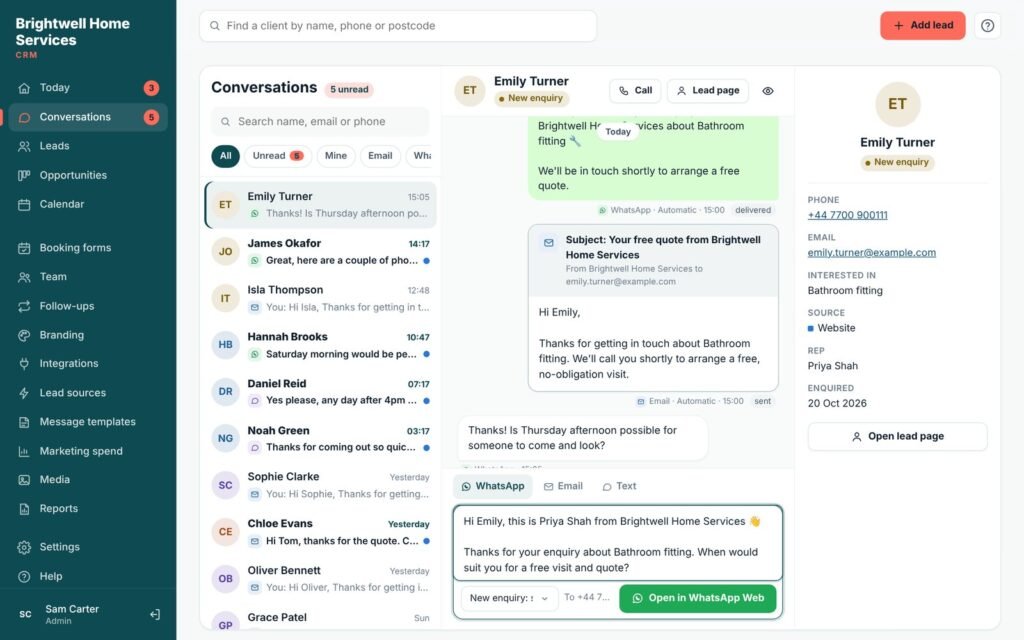
In Lidora, every plan has saved messages: open a lead, pick a message, and it opens in WhatsApp with their name filled in. On the Growth and Pro plans, Lidora can send WhatsApp follow-ups automatically on the schedule above, through Twilio’s official WhatsApp API, respecting quiet hours and stopping the moment the customer replies.
Frequently asked questions
How do you write a WhatsApp follow-up message to a customer?
Use their first name, mention what they asked about, keep it to two or three lines, and give one clear next step, such as a time to call or a booking link.
How many follow-up messages should I send on WhatsApp?
Usually three at most over about a week: one straight away, one the next day and a final polite message around day seven. Stop as soon as the customer replies.
Can I send automatic WhatsApp messages to customers?
Yes, using the official WhatsApp Business Platform (API) through a provider or CRM. Outside a 24-hour conversation window you must use message templates approved by Meta, and Meta charges per delivered template message.
What time of day should I send WhatsApp follow-ups?
During normal waking hours, roughly 9am to 8pm. Avoid late evenings and early weekend mornings.
Is it legal to follow up leads on WhatsApp in the UK?
Following up someone who has enquired about your service is normally fine. Keep messages relevant to their enquiry, let them opt out, and do not send marketing messages they have not agreed to.
Last updated: 20 October 2026. Source: Meta: Pricing on the WhatsApp Business Platform. Lidora CRM is made by NexGen Rank.