
Features
Everything you need to answer every enquiry
Lidora catches every lead, replies in seconds, books the visit and follows up until the customer answers. All in one simple CRM, made for local businesses.
- 7 days free, no card needed
- Ready in a minute
- Works on phone and computer
Catch every lead
Every enquiry lands in one place, the moment it arrives
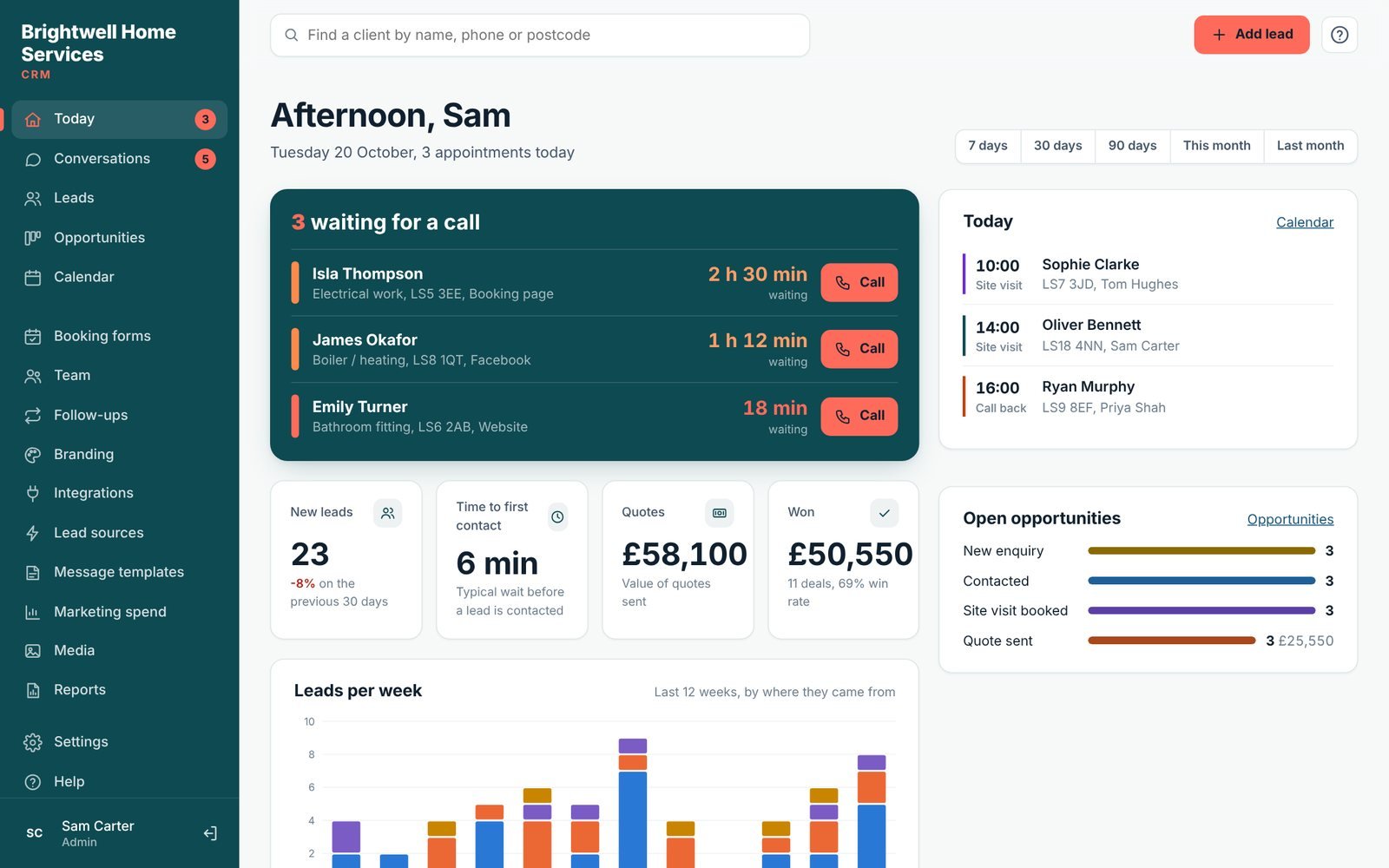
Website forms, enquiry forms, website chat, Facebook and Instagram lead ads, booking forms, directory emails and Zapier all feed one list. The Dashboard shows who is waiting for a call and for how long, so nobody is forgotten.
- WordPress plugin for Elementor, Contact Form 7 and WPForms
- Lidora enquiry forms and a website chat widget (chat on Growth and Pro)
- Lead emails from Checkatrade, Bark, MyBuilder, Rated People and more
- Facebook and Instagram lead ads (Growth and Pro)
- Import from CSV or Excel, Zapier and a simple API
- Duplicates spotted, and returning customers recognised
Automatic follow-ups
Replies go out in seconds, and keep going until they answer
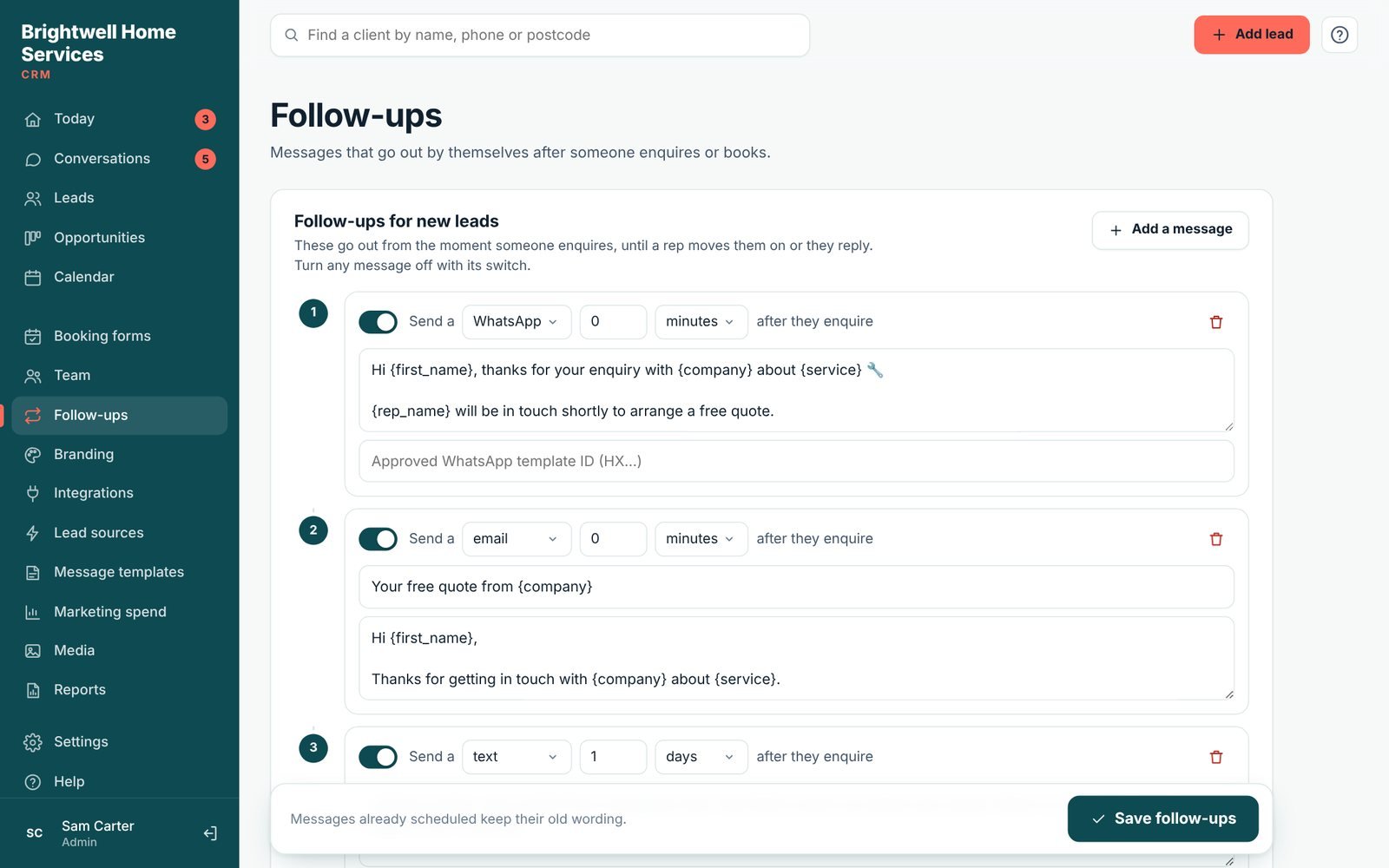
Write a few friendly messages once. Lidora sends the first one straight away and the rest on your schedule, by email, text or WhatsApp. They stop by themselves when the customer replies, opts out or moves on.
- Email follow-ups on every plan
- Automatic texts and WhatsApp on Growth and Pro
- Quiet hours, so nobody gets a message at night
- Fill-ins like {first_name} and {service}
- Stops on a reply, a STOP or a change of stage
WhatsApp from your own number
The first message lands in their WhatsApp
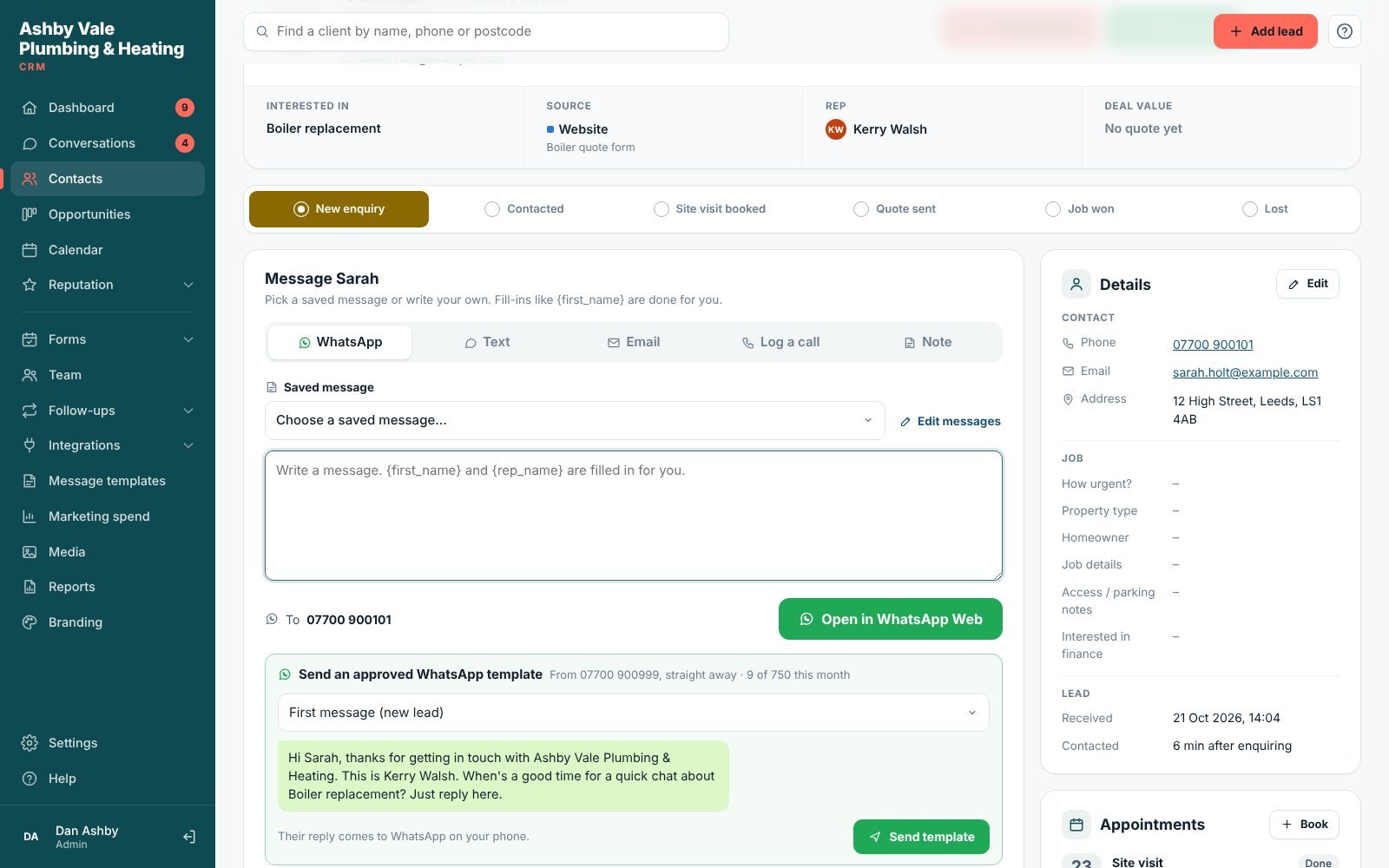
Connect your WhatsApp Business number once. Then approved WhatsApp messages go out from your own number by themselves: the first reply to every new lead, review requests, payment requests and offers. They reply in WhatsApp and you carry on the chat from your phone, as normal.
- Approved templates, sent automatically or in one click
- Payment requests with the amount and your payment link or bank details
- Their reply stops the automatic follow-ups
- Growth: 5 templates and 250 messages a month. Pro: 10 and 750. Included in the price
- Your number keeps working in the WhatsApp Business App
Missed calls texted back
Never lose a job to a missed call
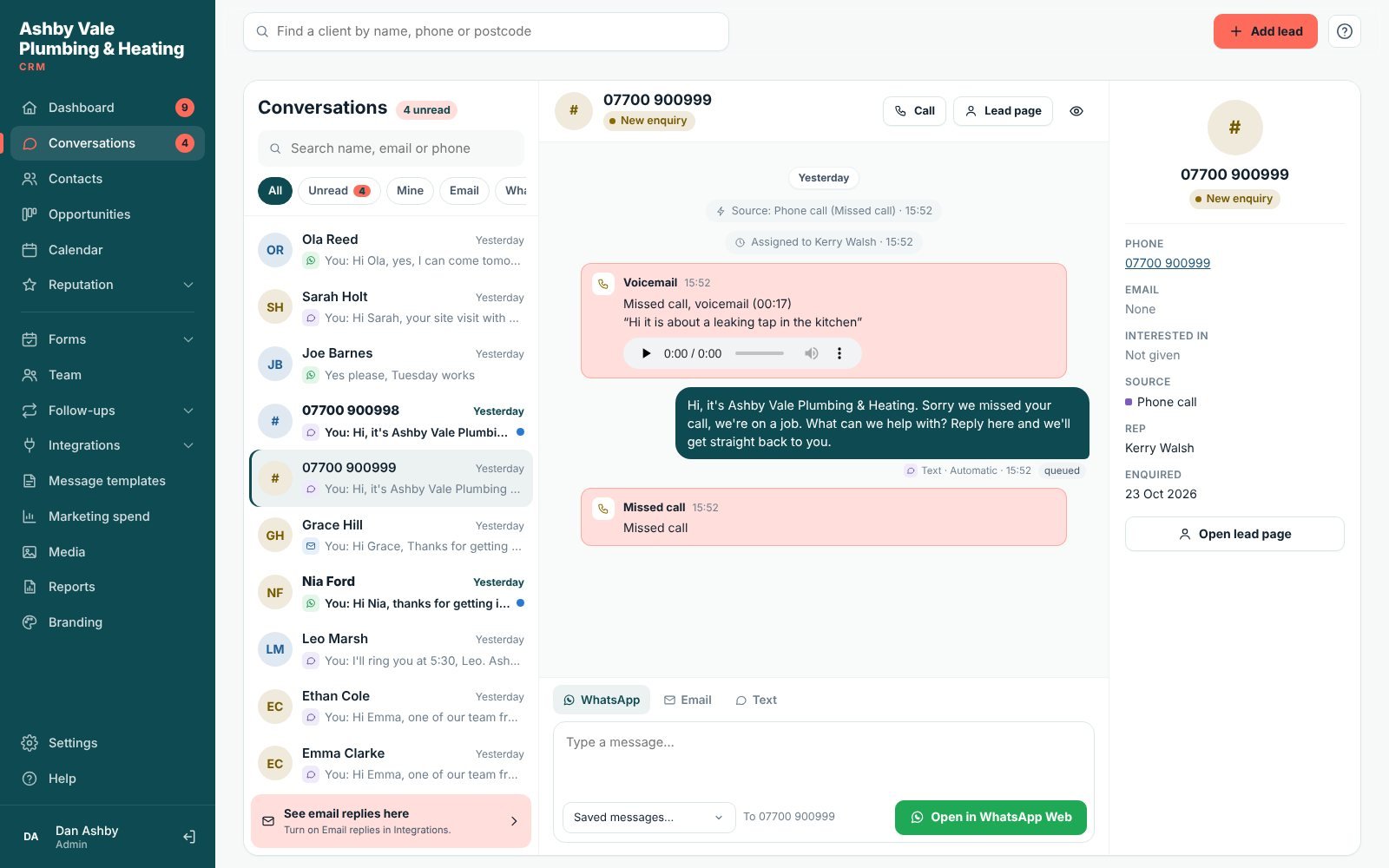
When you can’t answer, the caller gets a friendly text from your business within seconds. They can leave a voicemail, which Lidora writes out for you, and the call becomes a lead with an alert to your phone.
- A text back within seconds, day or night
- Voicemail recorded and written out
- Every caller becomes a lead, with a phone alert
- Works with your own mobile number (call forwarding)
- Growth and Pro, through your Twilio number
Quote follow-ups
Quotes chased for you, until they decide
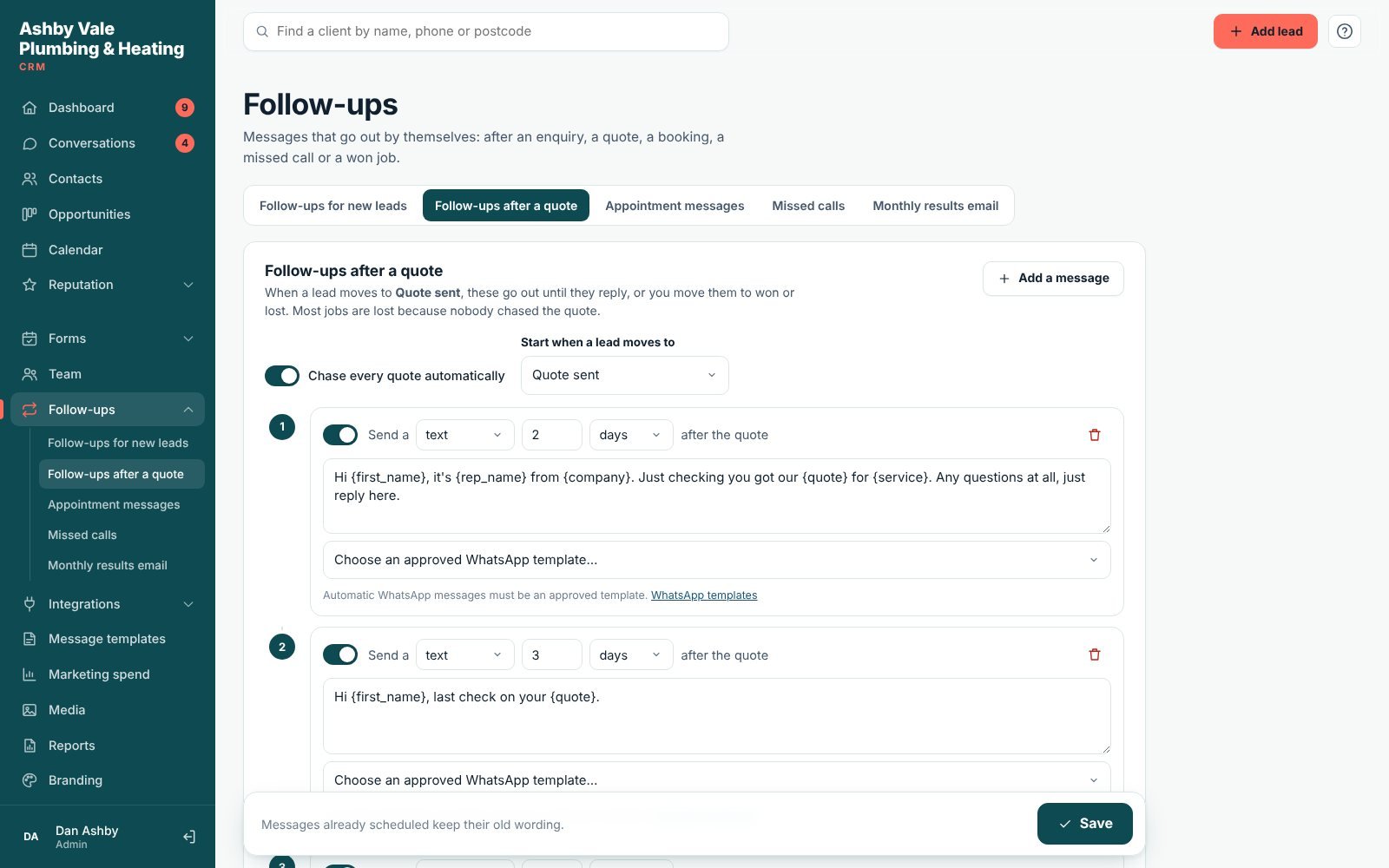
Move a lead to “Quote sent” and Lidora checks in a few days later, and again a few days after that, by text, email or WhatsApp. The follow-ups stop by themselves when they reply or you mark the job won or lost.
- Your own messages and timing
- Stops on a reply, a win or a loss
- See which jobs were won after a chase
- Email on every plan, texts and WhatsApp on Growth and Pro
Google reviews
More Google reviews, and every one in one place
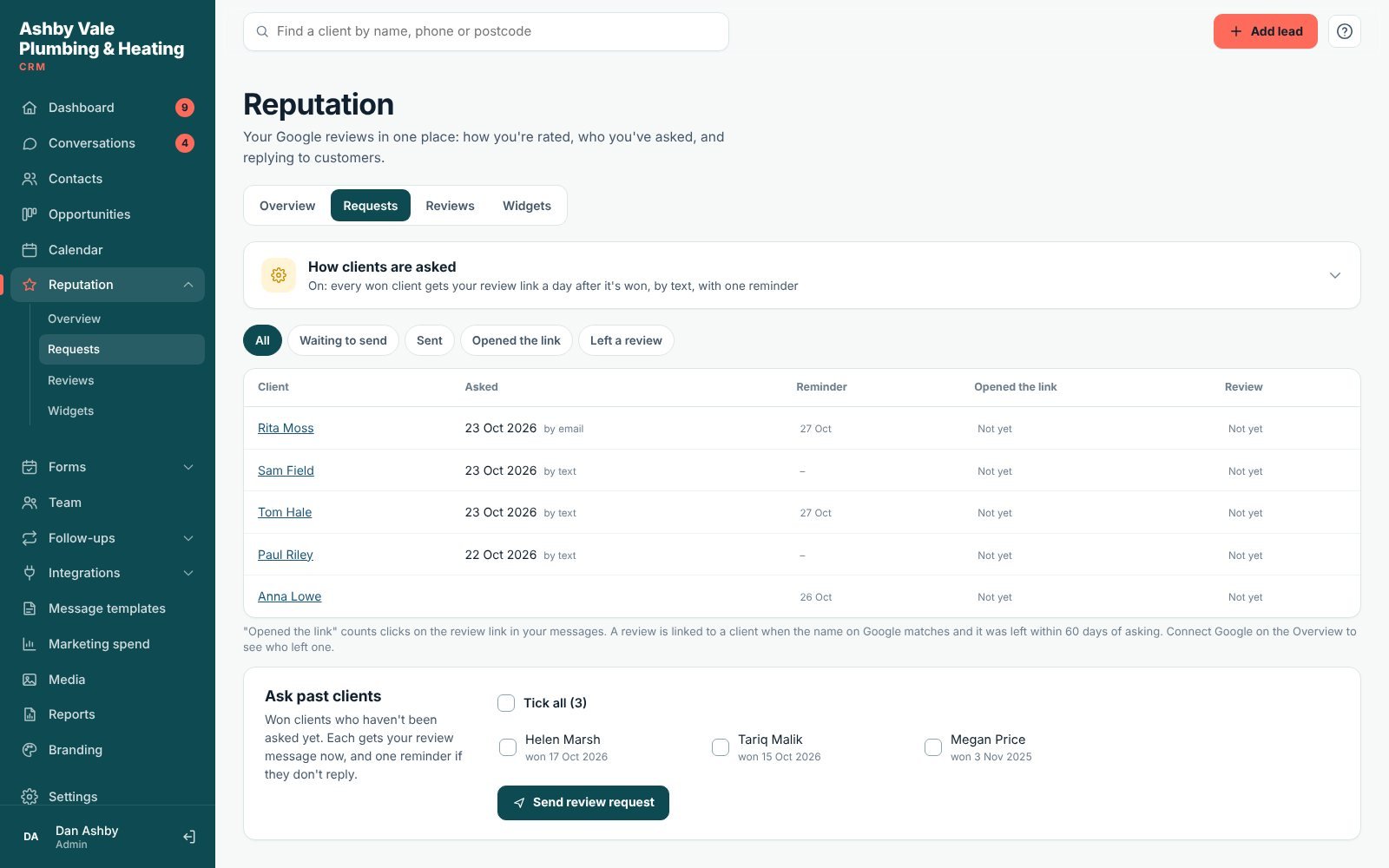
When a job is won, Lidora sends your Google review link at the time you choose, with one friendly reminder. Connect your Google Business Profile to see your rating and every review, reply to them from Lidora, and show your best reviews on your website.
- Review requests by text, email or WhatsApp, with one reminder
- See who opened the link and who still needs asking
- See and reply to every Google review in Lidora
- Reviews widget for your website (Growth and Pro)
One inbox
WhatsApp, texts and emails in one conversation
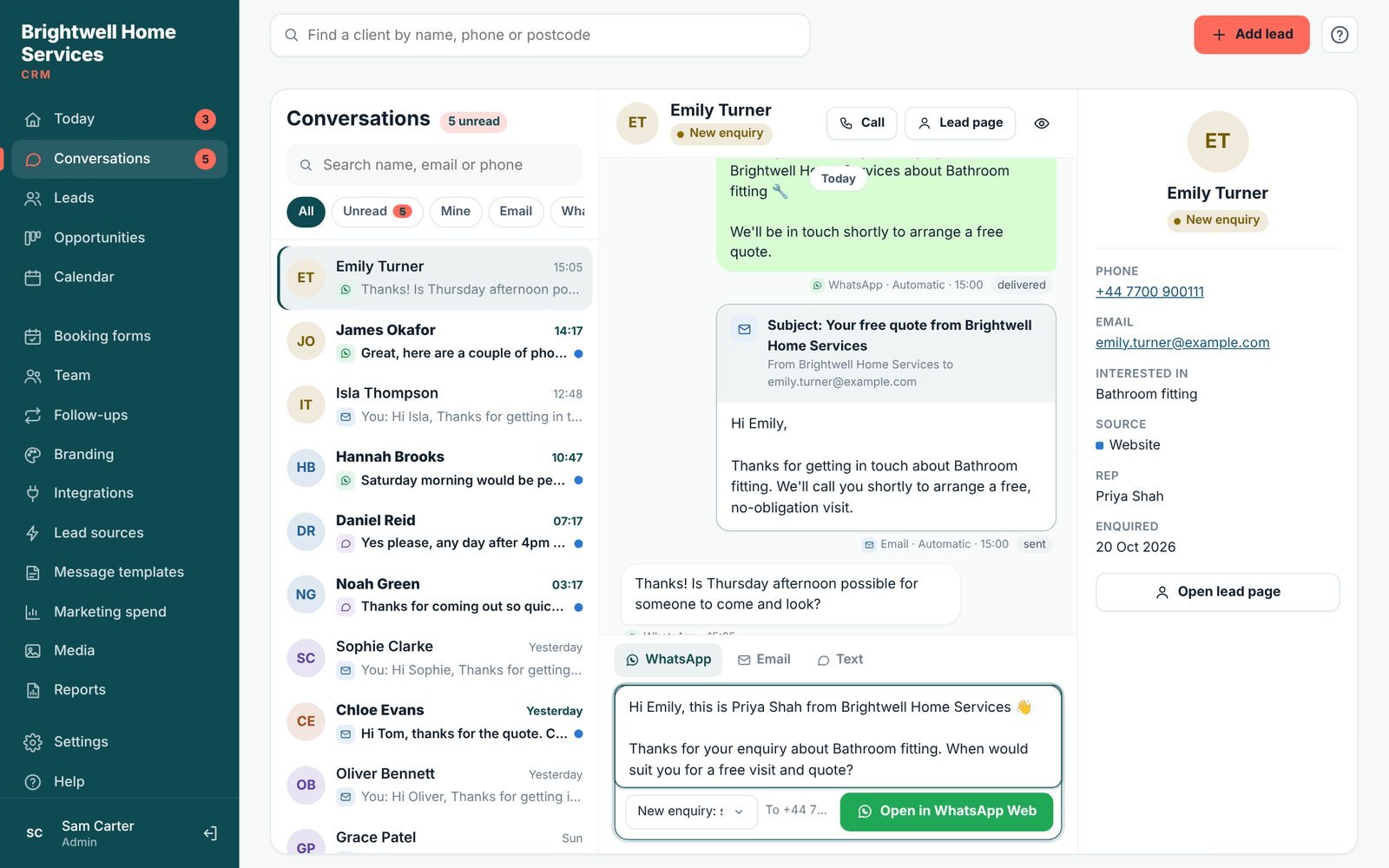
See every message with each customer in one thread, so anyone on your team can pick up where someone else left off. Reply in one click with saved messages, or open WhatsApp with the message ready to send.
- Unread and "mine" filters
- Email replies land in the same thread
- Website chat replies (Growth and Pro)
- Two-way texts through Twilio (Growth and Pro)
- One-tap WhatsApp from your own phone on every plan
Online booking
Let customers book themselves in, day or night
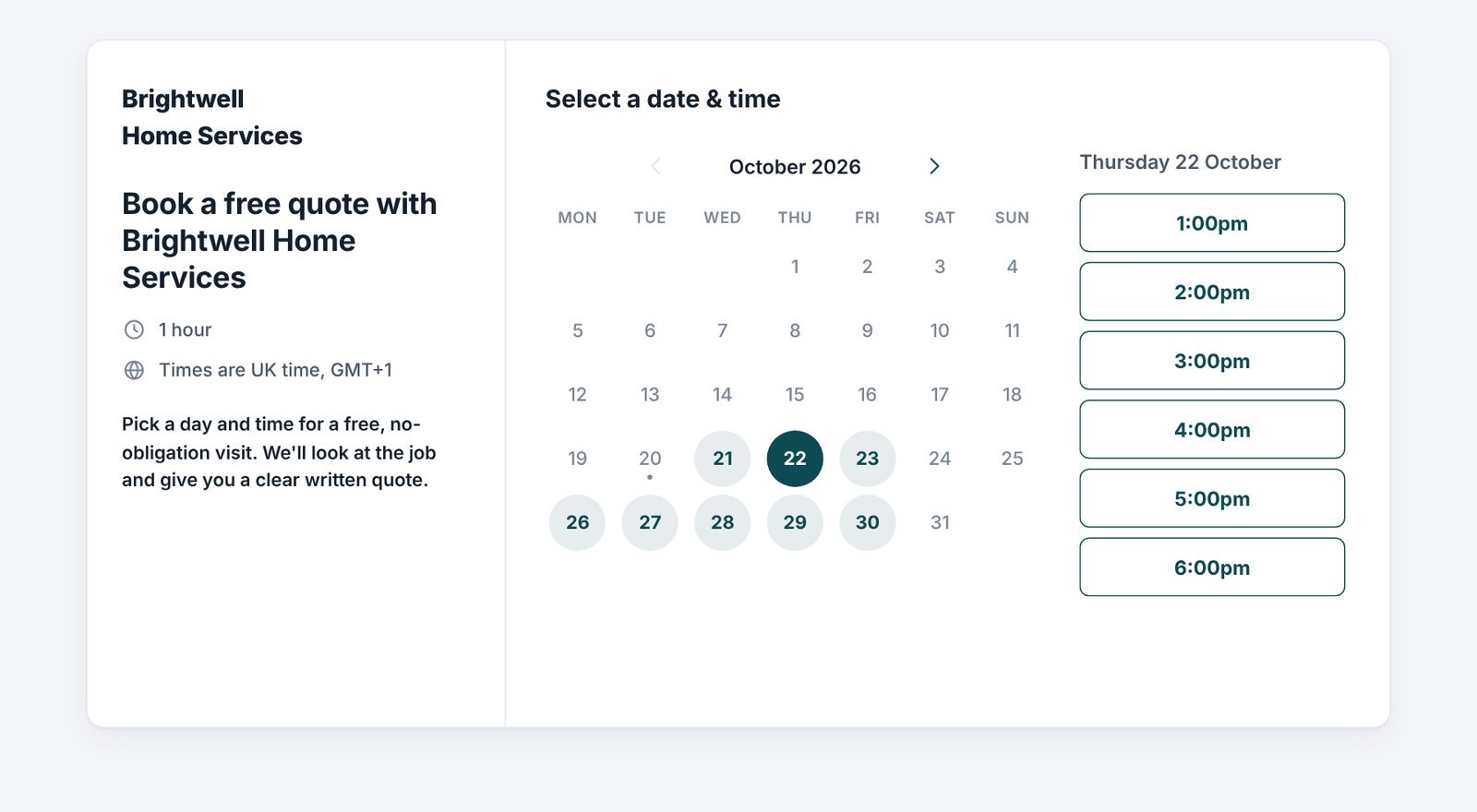
Share a booking link or put the form on your website. Customers pick a time from your real availability, answer your questions, and get a confirmation and a reminder. The visit appears in your calendar with their details.
- Your hours, your team and your questions
- Confirmations and day-before reminders
- Customers can change or cancel with their own link
- Times shown in the visitor's own time zone
- 1, 3 or unlimited booking forms, by plan
Pipeline & quotes
Every job, from first enquiry to won
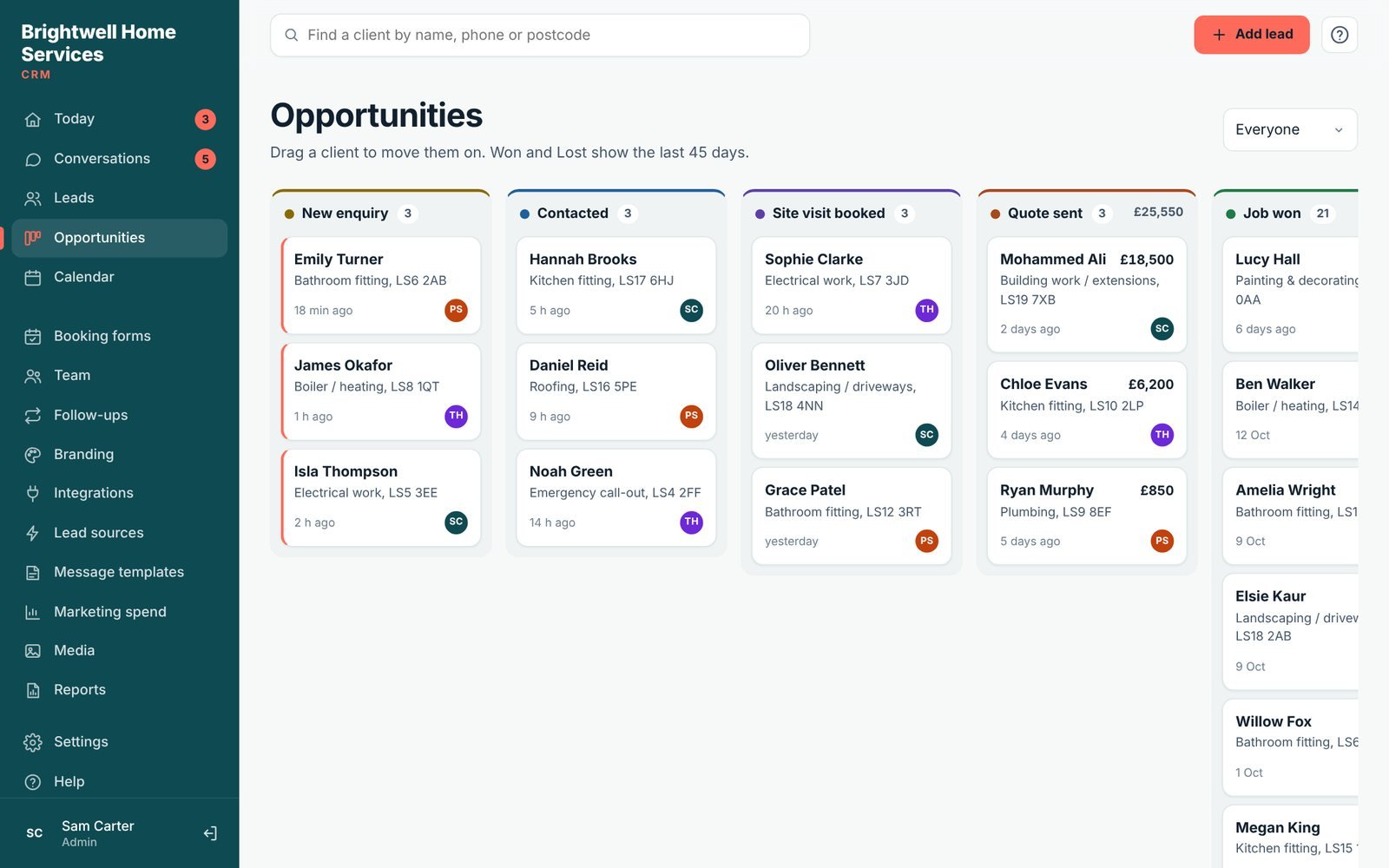
Stages are named the way your business works, like “Site visit booked” or “Treatment plan sent”. Drag a customer along as things move, add quotes with values, and see what is coming in.
- Stages that match your trade
- Quotes, values and win rate
- Won and lost reasons
- See who looks after each customer
Calendar
Visits, calls and jobs for the whole team
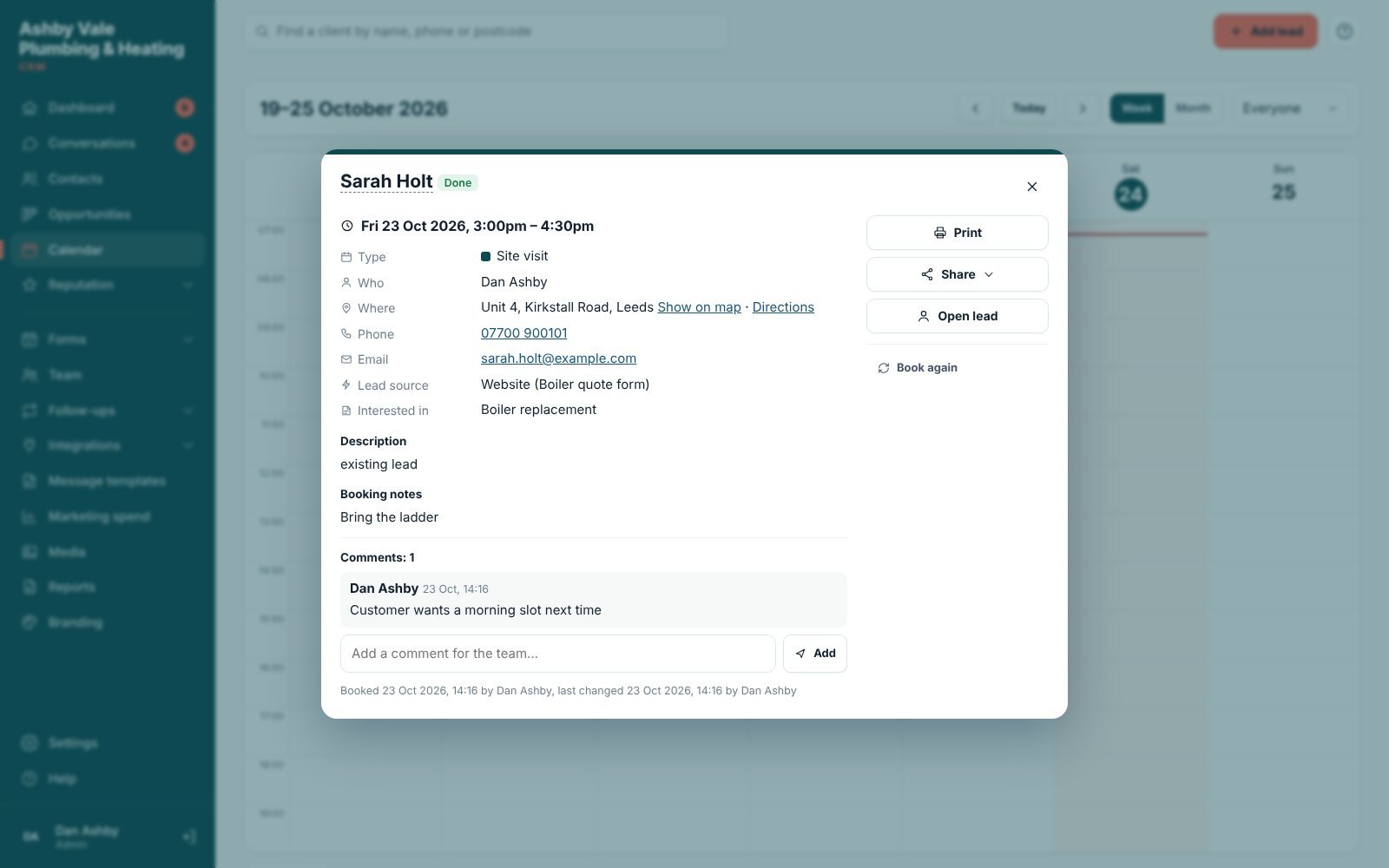
A week and month calendar for everyone, or one person at a time. Click any booking to see everything about it, change the time or address, add team comments, print a job sheet or share it with a fitter on WhatsApp.
- Week, month and agenda views, a colour for each person
- Booking box: from and to times, address, map and directions
- Print a job sheet, or share a job link that needs no login
- Customer reminders sent automatically
Reports
Know what is working, and what each lead costs
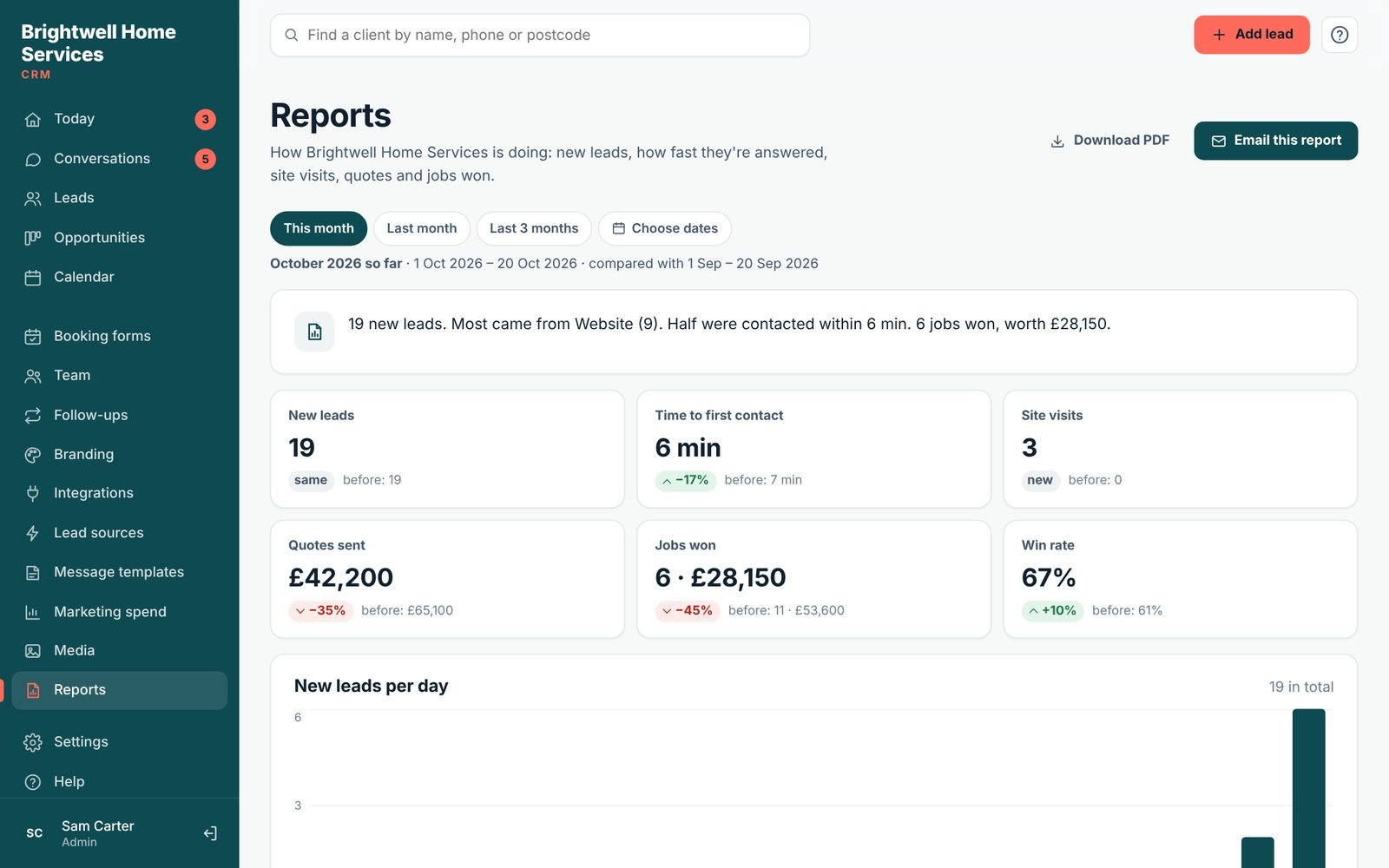
See how many leads each source brings, how fast your team replies, and how many quotes turn into jobs. Add your ad spend to see the cost of each lead and each customer.
- Leads by source and by week
- Time to first contact
- Quotes, jobs won and win rate
- A monthly "what Lidora did for you" email
- Marketing spend and cost per lead (Growth and Pro)
- Download as PDF, or get it by email (Growth and Pro)
And there's more
Everything else your team needs
Included on every plan unless it says otherwise.
Phone app with alerts
Put Lidora on your home screen. Get a notification for new leads, replies and appointments, even when the app is closed.
Smart alerts
"Still waiting" nudges when a lead hasn't been called, and a morning summary of your day (Growth and Pro).
Team and permissions
Give each person their own login, share new leads out fairly, and choose who can see and change what.
Google Contacts
New leads appear in your Google Contacts, so your phone shows who is calling.
Forms and surveys
Make enquiry forms with your own questions and put them on your website. Surveys ask one question at a time (surveys on Growth and Pro).
Website chat widget
A chat bubble on your website. Every chat becomes a lead, and visitors can choose to carry on in WhatsApp (Growth and Pro).
Import your leads
Bring your existing customers in from a CSV or Excel file in a few clicks, with duplicates spotted.
Your brand
Your logo and colours on the CRM, booking forms and emails. Remove "Powered by Lidora" on Pro.
Set up for your trade
Pick your kind of business and get the right stages, wording, fields, messages and booking form.
Media
Keep photos and files with each customer: 500 MB, 2 GB or 20 GB by plan.
Activity log
See who opened, changed or exported what, and when (Growth and Pro).
Safe and private
Daily backups, two-step login, automatic sign-out and a secure connection. Export your data any time.
Plans
What's in each plan
One price for your whole business. No setup fee and no contract.
| Feature | Starter | Growth | Pro |
|---|---|---|---|
| Price per month | $49£39 | $99£79 | $199£159 |
| Users | 2 | 5 | Unlimited |
| Booking forms | 1 | 3 | Unlimited |
| File storage | 500 MB | 2 GB | 20 GB |
| Leads | Unlimited | Unlimited | Unlimited |
| Leads, pipeline, calendar and quotes | Yes | Yes | Yes |
| Calendar booking box: edit, print and share jobs | Yes | Yes | Yes |
| Email follow-ups after enquiries and quotes | Yes | Yes | Yes |
| Google review requests | Yes | Yes | Yes |
| See and reply to your Google reviews | Yes | Yes | Yes |
| Enquiry forms and website leads | Yes | Yes | Yes |
| Leads from Checkatrade, Bark and other emails | Yes | Yes | Yes |
| Import from CSV or Excel | Yes | Yes | Yes |
| One-tap WhatsApp and calls | Yes | Yes | Yes |
| Custom fields, templates, own logo | Yes | Yes | Yes |
| Media, reports and the monthly results email | Yes | Yes | Yes |
| Team permissions, two-step login, backups | Yes | Yes | Yes |
| Phone app with new-lead alerts | Yes | Yes | Yes |
| Automatic WhatsApp templates | No | 5 | 10 |
| Automatic WhatsApp messages a month (included) | No | 250 | 750 |
| Automatic texts through Twilio | No | Yes | Yes |
| Missed calls texted back | No | Yes | Yes |
| Website chat widget | No | Yes | Yes |
| Surveys | No | Yes | Yes |
| Google reviews widget for your website | No | Yes | Yes |
| Facebook and Instagram lead ads | No | Yes | Yes |
| Smart phone alerts ("still waiting", morning summary) | No | Yes | Yes |
| Marketing spend and cost per lead | No | Yes | Yes |
| Activity log and automatic report emails | No | Yes | Yes |
| No "Powered by Lidora" | No | No | Yes |
| Support | Email and WhatsApp | Priority, same working day | |
| Setup help | Guides | 30-minute setup call | 1-hour setup and training call |
| Setup fee | None | None | None |
| Free trial | 7 days | Upgrade from the trial | Upgrade from the trial |
FAQ
Questions about features
What does Lidora CRM do?
Lidora catches every enquiry from your website, Facebook and Instagram lead ads, booking forms and Zapier, replies by email, text or WhatsApp, lets customers book online, follows up automatically and shows your team who to call next.
Can Lidora send WhatsApp messages automatically?
Yes, on Growth and Pro. Approved WhatsApp messages go out from your own WhatsApp Business number through Meta's official API (5 templates and 250 messages a month on Growth, 10 and 750 on Pro, included). We're switching this on for every account as Meta completes its checks; until then automatic WhatsApp runs through Twilio. On every plan you can open WhatsApp from a customer's page with a saved message ready to send.
Can Lidora text back missed calls?
Yes, on Growth and Pro. Forward unanswered calls to your Twilio number and the caller gets a text within seconds, can leave a voicemail, and becomes a lead.
Does Lidora chase quotes automatically?
Yes. When a lead moves to your quote stage, Lidora sends the follow-ups you set, a few days apart, until they reply or you mark the job won or lost.
Can Lidora ask for Google reviews?
Yes, on every plan. Won customers get your Google review link with one reminder, and you can see who opened it. Connect your Google Business Profile to see and reply to every review in Lidora, and on Growth and Pro show your reviews on your website.
Does Lidora have online booking?
Yes. Every plan includes booking forms (1, 3 or unlimited). Customers pick a time, get a confirmation and a reminder, and can change or cancel with their own link.
Does it work with my website?
Yes. The Lidora WordPress plugin connects forms made with Elementor, Contact Form 7 and WPForms. On any website you can add a Lidora enquiry form, booking form or chat widget, or use Zapier or the API. Or let us build your website for you.
Is there a phone app?
Yes. Lidora works in the browser on any phone, and you can add it to your home screen like an app, with notifications for new leads, replies and appointments.
Can I try every feature before paying?
You can try Lidora free for 7 days on the Starter plan, with no card needed, and upgrade at any time to switch on Growth or Pro features.
Done for you
Rather we did it all for you?
Our team at NexGen Rank can build your website, do your SEO, look after your Google Business Profile and set up Lidora for you. One package, one team, more enquiries.
A website that wins jobs
Fast, mobile-first, written for your trade and your area, with enquiry and booking forms built in.
Full SEO
Local SEO every month: the pages, keywords and links that put you in front of people searching near you.
Google Business Profile
Set up, optimised and kept active with posts, photos and review requests.
Lidora CRM, set up for you
Every enquiry answered in seconds, followed up and booked in. We set it all up and train your team.
One complete package from NexGen Rank, the team behind Lidora. We talk through what you need on a free call first. The package is arranged and invoiced by NexGen Rank, separately from a Lidora plan.
See it with your own leads
Try Lidora free for 7 days. No card needed. See who it’s for.